Skip to content
FeaturesAIHifzLanguagesPlansFAQPrivacy
Coming soon toApp StoreComing soon toGoogle Play

Learn Quran with AI

Understand the Quran, one ayah at a time.

Hudava is a Quran companion for reading, understanding and memorizing. Translation and tafsir in six languages, insight into every word, guided Hifz practice, and an AI assistant that answers from the Quran and its tafsir.

Coming soon toApp StoreComing soon toGoogle Play
  • Free to start
  • No account needed to read
  • Sources shown for every answer
Surahs
114
Ayahs
6,236
Languages
6
Reciters
3
Topics
40
See what is inside

Product tour

Five ways Hudava brings you closer to the Quran

Read it, understand it, study its words, memorize it, and ask about it — each part of the app is built around the ayah in front of you.

01 · Quran reading

A calm, uncluttered place to read.

Open any of the 114 surahs or 30 juz and read in the mode that suits the moment: Simple for uninterrupted recitation, or Detailed, where every ayah carries its own tools.

  • Translation under each ayah, in your chosen language
  • Listen ayah by ayah, or play a whole surah
  • Continue exactly where you stopped last time

02 · AI on every ayah

From reading the words to grasping the meaning.

Tap an ayah and choose how to go deeper. Hudava explains it in plain language, condenses its tafsir into key points and draws out a lesson for daily life.

  • Explain Simply, Tafsir Summary and Real-life Lesson
  • Built on the stored tafsir for that ayah, with sources shown
  • Ask a follow-up question without leaving the ayah

03 · Word-by-word study

Look inside every single word.

Each word of the Quran opens to its meaning, its root and lemma, and its grammatical role — and shows where else the same root appears across the Quran.

  • Meaning, root, lemma and grammar for each word
  • “Where else used?” lists other occurrences
  • Ask AI to explain a word in its context

04 · Hifz

Memorize with a plan, not just willpower.

Set a target surah and a daily pace, then work through each ayah with practice modes that build recall step by step. Your weak ayahs and past mistakes stay in view.

  • Listen and repeat, phrase by phrase, progressive hiding
  • AI Check listens and marks missed or replaced words
  • Revision built around the ayahs that need attention

05 · AI chat

Ask your question the way you would say it.

Hudava finds the relevant ayahs and tafsir first, then answers from them — with each reference shown so you can open the ayah and read it yourself.

  • Answers cite the ayahs they rely on
  • Replies in the language you read the Quran in
  • Stays on the Quran; unrelated questions are declined

01 / 05 · Screens are illustrative previews of the app

Why Hudava

Reading the Quran is the beginning. Understanding it is the goal.

Millions of Muslims recite the Quran every day in a language they do not speak. The meaning lives in translations, tafsir volumes and dictionaries — scattered, lengthy, and hard to reach in the moment an ayah moves you.

Hudava brings all of it to the ayah you are reading, in your own language, and adds an AI guide that explains without replacing the sources it draws on.

  • “I can read the Arabic, but I don’t know what it is saying.”

    Translation, tafsir and a plain-language explanation sit under every ayah.

  • “Tafsir is long, and I don’t know where to begin.”

    AI summaries condense the stored tafsir into key points, with the full text one tap away.

  • “I memorize, then forget — and can’t tell where I go wrong.”

    A plan, step-by-step practice modes and AI Check show exactly which words slipped.

  • “I’m wary of AI answering questions about my religion.”

    Hudava answers from retrieved ayahs and tafsir, cites them, and labels AI clearly.

وَلَقَدۡ یَسَّرۡنَا ٱلۡقُرۡءَانَ لِلذِّكۡرِ فَهَلۡ مِن مُّدَّكِرࣲ

“And We have certainly made the Qur’ān easy for remembrance, so is there any who will remember?”
Surah Al-Qamar · 54:17

Features

Everything around the ayah, in one companion.

No switching between a mushaf app, a tafsir site, a dictionary and a notebook. Hudava keeps them together and connected.

  • Two ways to read

    Simple mode keeps the page clear for recitation. Detailed mode puts Explain, Words, Tafsir, Hifz, Bookmark, Note, Related and Share on every ayah.

    • Browse by Surah or by Juz
    • Adjustable Arabic text size
    • Reading history and “Continue reading”
  • Translation and tafsir, side by side

    Every ayah opens to its translation and its full tafsir in your language, from named, published sources.

  • Recitation by three reciters

    Mishary Rashid Alafasy, Mahmoud Khalil Al-Husary and Abdul Basit Abdul Samad. Play one ayah at a time or a full surah in one continuous take.

    • Playback speed
    • Sleep timer
    • Auto-scroll with the recitation
  • Search that understands meaning

    Type a surah name, a reference like 2:255 or a keyword — or describe what you are looking for in plain words and get ayahs matched by meaning. A separate mode searches inside tafsir.

    • Filter by Makki or Madani
    • Filter by surah
    • Hand any result to the AI
  • 40 topics to explore

    Themes such as Tawhid, prophethood and the angels, each with its related ayahs, their context and an AI summary of what the Quran says.

  • Notes and reflections

    Write what an ayah or a topic means to you, tag it, and keep it private. If you want a starting point, the AI can suggest a reflection question.

  • Bookmarks you can organize

    Save ayahs into folders, add your own tags, and jump back to read the ayah or its tafsir.

  • Share an ayah

    Send an ayah with its translation and reference to any app, or copy it as formatted text.

  • Start without an account

    Read, listen and explore as a guest. Sign in with email or Google when you want bookmarks, notes, Hifz progress and chat history kept in your account.

Word by word

Every word of the Quran, opened up.

Arabic carries meaning in its roots. Hudava lets you tap any word to see what it means, where it comes from and how it is used — the slow, careful way of learning the Quran’s language.

Meaning
What the word means in this ayah, in your language.
Root and lemma
The root letters it grows from and its dictionary form.
Grammar
Its part of speech and form, from the Quranic Arabic Corpus.
Where else used?
Other places the same root or lemma appears in the Quran.

Surah Al-Qamar · 54:17

Tap a word

Meaning

We have made easy

یَسَّرۡنَا
Root
ي س ر
Lemma
يَسَّرَ
Type
Verb · perfect · form II · 1st person plural

Where else used? This root occurs approximately 44 times in the Quran.

AI on every ayah

Six ways to go deeper into any ayah.

Open an ayah and choose what you need. Each tool works from the tafsir stored for that ayah, answers in the language you read the Quran in, and tells you what it relied on.

Surah Ash-Sharh · 94:5–6

فَإِنَّ مَعَ ٱلۡعُسۡرِ یُسۡرًا

إِنَّ مَعَ ٱلۡعُسۡرِ یُسۡرࣰا

For indeed, with hardship [will be] ease [i.e., relief]. Indeed, with hardship [will be] ease.

Explain Simply

The meaning of the ayah in clear, everyday language.

Ease does not only come after hardship — it comes with it. Whatever difficulty you are in, relief is already on its way alongside it.

The same promise is stated again in the very next ayah, so the listener is left with no doubt about it.

Source: Al-Mukhtasar fi at-Tafsir

Illustrative example. AI-generated for educational assistance.

AI that explains the Quran — and never stands in for it.

  • The Quran is never generated

    Arabic text, translations and tafsir are always shown from the verified database. The AI explains them; it does not produce them.

  • Answers start from sources

    Before answering, Hudava retrieves the relevant ayahs and tafsir and gives them to the model to work from, then shows you the references.

  • Always labelled as AI

    AI explanations are marked as AI-generated for educational assistance, and kept visually separate from the scholarly tafsir.

  • Not a fatwa

    AI can still be wrong. For binding religious rulings, Hudava tells you to consult qualified Islamic scholars.

A note the app itself shows every new user: like any AI technology, responses may occasionally contain inaccuracies or misinterpretations, and we keep working to refine them. For binding religious rulings (fatwa), please always consult qualified Islamic scholars.

Ask Hudava

Ask the way you would ask a teacher.

Type a question in your own words. Hudava searches the Quran and its tafsir by meaning, then writes an answer that points you back to the ayahs themselves.

  • Finds the relevant ayahs and tafsir first, then answers from them
  • Every cited ayah can be opened and read in full
  • Replies in the language you read the Quran in
  • Keeps to the Quran: unrelated questions are politely declined

Your conversations, your choice. Guests can chat without anything being saved. Signed-in users decide in Privacy Settings whether chat history is kept, and can clear it at any time.

Hudava Scholar AI

Quran Research Assistant

What does the Quran say about patience?

The Quran tells believers to seek help through patience and prayer, and says that Allah is with those who are patient.

Surah Al-Baqarah 2:153

یَـٰۤأَیُّهَا ٱلَّذِینَ ءَامَنُوا۟ ٱسۡتَعِینُوا۟ بِٱلصَّبۡرِ وَٱلصَّلَوٰةِۚ إِنَّ ٱللَّهَ مَعَ ٱلصَّـٰبِرِینَ

O you who have believed, seek help through patience and prayer. Indeed, Allāh is with the patient.

Open Ayah

It also promises that the reward of the patient is without limit.

Surah Az-Zumar 39:10

… إِنَّمَا یُوَفَّى ٱلصَّـٰبِرُونَ أَجۡرَهُم بِغَیۡرِ حِسَابࣲ

… Indeed, the patient will be given their reward without account [i.e., limit].

Open Ayah

AI-generated for educational assistance.

Try a question

Ask anything about the Quran...

Hifz

Memorize with a plan — and honest feedback.

Hudava turns memorization into a sequence you can follow: learn the ayah, test your recall at rising difficulty, recite aloud, and keep returning to what is still weak.

  1. 01

    Set your plan

    Choose a surah or an ayah range and a pace — Gentle, Moderate or Intense. Hudava tracks the daily target for you.

  2. 02

    Learn the ayah

    Listen, repeat after the reciter, and take the ayah one phrase or a few words at a time until it settles.

  3. 03

    Test your recall

    Hide the words step by step, then recite from a blank screen. Hints reveal one word, or the full ayah.

  4. 04

    Check and revise

    Recite aloud for AI Check, see which words slipped, and return to weak ayahs until they are firm.

Try it · Progressive Hiding

Level 3: Moderate

Half of the words hidden. Test your flow.

Surah Al-Ikhlas

قُلۡهُوَٱللَّهُأَحَدٌ1ٱللَّهُٱلصَّمَدُ2لَمۡیَلِدۡوَلَمۡیُولَدۡ3وَلَمۡیَكُنلَّهُۥكُفُوًاأَحَدُۢ4

50% of the words hidden

AI Check · Recitation analysis

80%

Good effort! Review missed words below.

4 of 5 words correct · 1 omission

وَلَمۡیَكُنلَّهُۥكُفُوًاأَحَدُۢ

You didn’t say the highlighted word.

  • AI Check compares the words you recite with the ayah: correct, omitted or substituted. It does not grade tajweed or pronunciation.
  • Your recording is used once to transcribe your recitation and is never stored. Only the result is saved.

Nine tools for one goal.

  • Listen

    Hear the ayah from your chosen reciter, at normal or slow speed.

  • Listen & Repeat

    The reciter goes first, then it is your turn.

  • Phrase by Phrase

    The ayah is split at the pause marks already in the Quran text, one segment at a time.

  • Few Words

    Reveal 1, 3, 5 or 10 words at a time and build the ayah up.

  • Progressive Hiding

    Five levels, from full text to a completely blank ayah.

  • Recite from Memory

    Recite unaided, then mark it correct or flag it for practice.

  • AI Check

    Record your recitation and get a word-by-word result.

  • Weak Ayahs

    Every ayah with an unresolved mistake, ready to practise.

  • Mistake History

    What you missed, what was expected, and when.

Six languages

One language for the app. Another for the Quran.

Many people are comfortable using an app in English but want the Quran explained in the language of their home. Hudava keeps the two settings separate, so you can choose each one freely.

App language

Menus, buttons and navigation

Quran and AI language

Translation, tafsir and AI answers

Arabic readers get Tafsir Al-Muyassar alongside the original text. You can change either language at any time in Settings.

Interface · English

Assalamu Alaikum

Read Quran
Continue Hifz
Word-by-word
Ask AI

Quran · Urdu

فَإِنَّ مَعَ ٱلۡعُسۡرِ یُسۡرًا

پس یقیناً مشکل کے ساتھ آسانی ہے.

Translation
Muhammad Ibrahim Junagarhi
Tafsir
Tafsir Ibn Kathir

Sources

Built on sources you can name and check.

Nothing about the Quran in Hudava is improvised. Every text, translation, commentary and recording comes from an established publisher or scholarly project.

  • Arabic text

    • Uthmani script, all 6,236 ayahs

    Stored inside the app, so the Arabic is readable without a connection.

    Tanzil project
  • Translations

    • English — Saheeh International
    • Urdu — Muhammad Ibrahim Junagarhi
    • Pashto — Rwwad Translation Center
    • Hindi — Azizul-Haqq Al-Umary
    • Indonesian — Sabiq Company
    QuranEnc.com
  • Tafsir

    • Al-Mukhtasar fi at-Tafsir — English, Pashto, Hindi, Indonesian
    • Tafsir Al-Muyassar — Arabic
    • Tafsir Ibn Kathir — Urdu
    QuranEnc.com and QUL
  • Words, roots and meanings

    • KFGQPC Hafs word-by-word script
    • Roots, lemmas and stems
    • Word meanings in English, Urdu, Hindi and Indonesian

    Pashto word meanings are AI-generated, flagged as such in the data, and awaiting scholar review.

    Quranic Universal Library (QUL)

Privacy

What you read, ask and recite stays yours.

A Quran app sees some of the most personal parts of a person’s day. Hudava collects only what it needs to work, and puts the controls in your hands.

  • Recitation audio is never stored

    A recording is used once to transcribe what you recited, then discarded. Only the result is saved to your account.

  • You decide if chats are kept

    Guests’ conversations are never saved. Signed-in users choose whether AI chat history is stored.

  • No ads. No selling of data.

    Hudava has no advertising and does not sell or rent your personal information to anyone.

  • Delete it yourself, in the app

    Clear your saved AI data or delete your account from Privacy Settings, without writing to us.

Plans

Free to read. Upgrade only if you want more AI.

The Quran, its translations, recitation, notes and Hifz plans are free. Paid plans raise your access to the AI and voice features that cost us to run.

  • Basic Quran Learning

    Free

    Everything you need to read, listen and begin memorizing.

    • Read the full Quran with translations in many languages
    • Listen to recitations from renowned reciters
    • Save bookmarks, notes and personal reflections
    • Build a Hifz plan and track your progress
    • Try Hudava’s AI: explanations, tafsir summaries and Quran chat
  • Enhanced Learning

    Plus

    For regular study with the AI tools in daily use.

    • Expanded access to AI Quran chat and ayah explanations
    • AI tafsir summaries, real-life lessons and related verses
    • Word-by-word AI meanings for deeper understanding
    • AI voice recitation checking for your Hifz
    • Smart memorization help and guided reflection prompts
    • Explore Quranic topics and search across tafsir
  • Recommended

    Full AI & Hifz Features

    Pro

    The highest level of access across every AI feature.

    • Everything in Plus
    • The highest access to AI Quran chat and tafsir analysis
    • The highest access to AI voice recitation checking
    • The highest access to AI memorization help and reflection prompts

Plus and Pro are billed through the App Store or Google Play, in your local currency. Longer billing periods cost less per month, and you can cancel in your store account at any time.

  • Monthly
  • 3 months
  • 6 months
  • Yearly

Questions

Good questions, straight answers.

What people most often want to know before they install Hudava.

Something else? support@hudava.com

Hudava is a mobile app for reading, understanding and memorizing the Quran. It brings together the Arabic text, translations, tafsir, word-by-word analysis and recitation audio, and adds AI tools that explain an ayah in simple language, summarize its tafsir and answer your questions from the Quran and its tafsir.

Yes. Reading the Quran with translation, listening to recitation, bookmarks, notes and building a Hifz plan are free, and you can try the AI features on the Free plan. Plus and Pro give expanded access to the AI and voice features. Subscriptions are bought through the App Store or Google Play and can be cancelled there at any time.

No. You can continue as a guest to read, listen and explore. An account, created with your email or with Google, is needed for things that are saved for you: bookmarks, notes, Hifz plans and progress, and AI chat history.

The app interface is available in Arabic, English, Urdu, Pashto, Hindi and Indonesian. You choose a second language separately for the Quran translation, tafsir and AI answers, so you can use the app in English and read the Quran in Urdu, for example.

The Arabic text is the Uthmani script from the Tanzil project. Translations and most tafsir come from QuranEnc.com, including Saheeh International in English and Al-Mukhtasar fi at-Tafsir. Urdu tafsir is Tafsir Ibn Kathir. Word data comes from the Quranic Universal Library and grammar from the Quranic Arabic Corpus. The full list is in the Sources section of this page.

The AI never produces Quran text or translations; those are always shown from the database. For explanations and chat, Hudava first retrieves the relevant ayahs and tafsir and has the model answer from that material, then shows you the references. AI output is labelled as AI-generated. It can still contain mistakes, so for religious rulings please consult a qualified scholar.

No. AI Check transcribes your recitation and compares it word by word with the ayah, showing which words were correct, omitted or replaced. It does not assess pronunciation quality or tajweed rules.

No. The recording is sent for transcription, used once, and not saved. Only the result — the accuracy score and which words were missed — is kept in your account, and you can delete it from Privacy Settings.

Yes. In the app, Privacy Settings lets you clear your saved AI data or delete your account. The Delete your account page on this site explains exactly what is removed and what is retained.

Hudava is being prepared for release on Google Play and the App Store. The download buttons on this page will become active as soon as the listings are live.
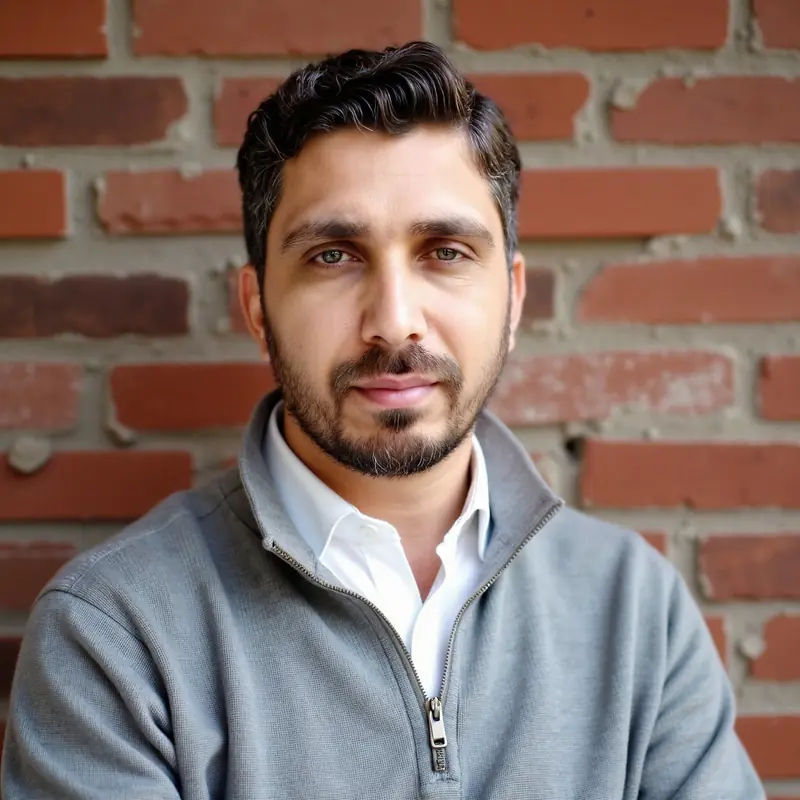
Portrait of Noor Uddin, founder of Hudava
Founder ofHudava

Meet the founder

The engineer behind Hudava.

Noor Uddin

FounderFull Stack .NET & AI Engineer

Noor Uddin is a Full Stack .NET & AI Engineer with 8+ years of experience building scalable, secure systems across government, finance and enterprise. Alongside large .NET and React platforms, he builds AI systems: agents, RAG pipelines, LangGraph and MCP.

“I built Hudava so that anyone can understand the ayah they are reading, in their own language, with no ads in the way and AI that stays grounded in the Quran and its tafsir.”
Noor Uddin, on why Hudava exists
  • 8+ years of experienceGovernment, finance and enterprise systems in Oman, the UAE and other countries.
  • Gulf-region platformsLarge .NET and React platforms delivered for clients across the Gulf.
  • AI systemsAI agents, RAG pipelines, LangGraph and MCP.
  • CodeCanyon authorBuilt and sold his own .NET e-commerce product: 180+ sales.

رَّبِّ زِدۡنِی عِلۡمࣰا

“My Lord, increase me in knowledge.” — Surah Taha 20:114

Begin with one ayah today.

Hudava is coming soon to the App Store and Google Play. Reading, listening and getting started with Hifz will cost nothing.

Coming soon toApp StoreComing soon toGoogle Play
  1. 1

    Choose your languages

    One for the app, one for the Quran.

  2. 2

    Tell Hudava your focus

    Reading, understanding, Hifz, words, listening or asking.

  3. 3

    Open the Quran

    Start as a guest, or create an account to save your progress.